
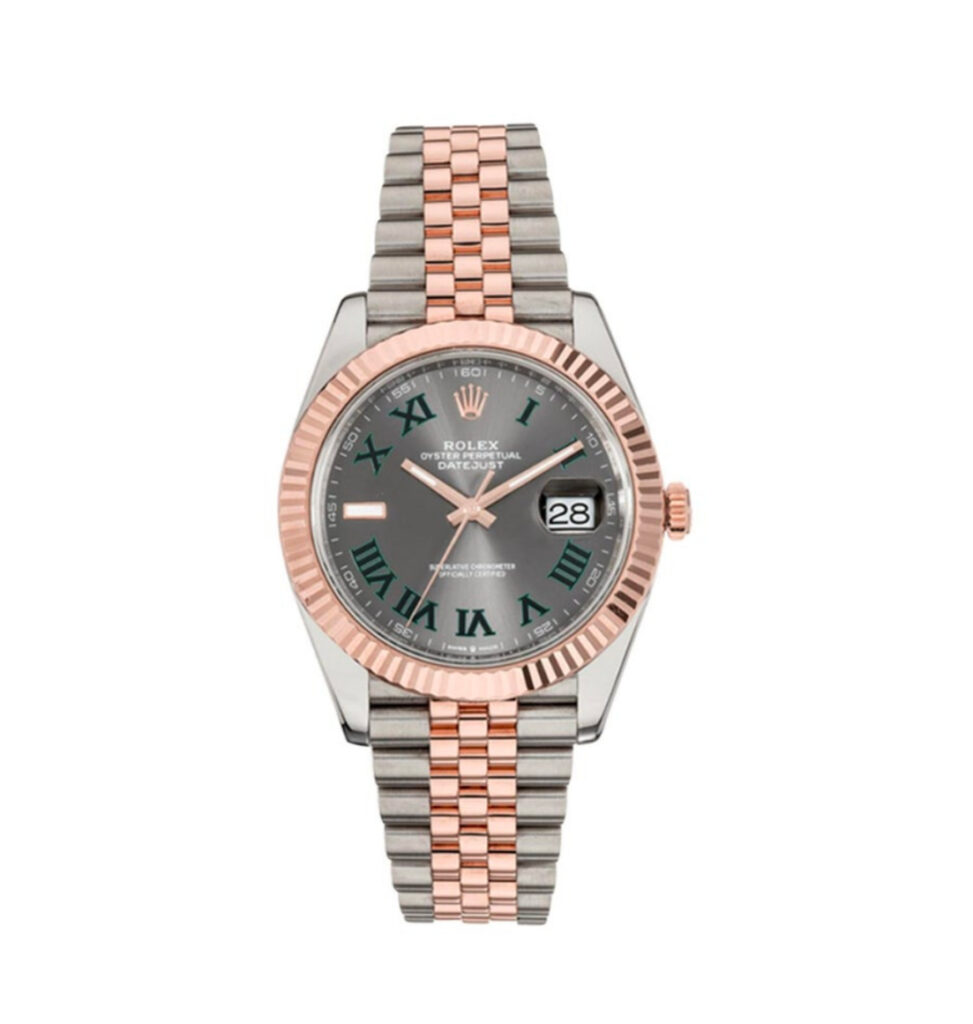
In the world of fine horology, a luxury watch is more than an accessory — it is a reflection of taste, precision, and timeless craftsmanship.
How to Set & Wind Your Automatic Super Clone Watch
Setting your new super clone watch correctly is essential for accuracy and longevity. Here’s a step-by-step guide for automatic watches.
Step 1: Understand Your Crown Positions
Most watches have 3 crown positions:
- Position 0 (screwed/pushed in): Normal wearing position. If screw-down, turn counter-clockwise to unscrew.
- Position 1 (pulled out one click): Date setting position.
- Position 2 (pulled out two clicks): Time setting position.
Step 2: Manual Winding
If your watch has stopped, manually wind it first. With the crown in Position 0 (unscrewed but not pulled out), rotate clockwise 30-40 times. You’ll feel the mainspring tensioning. Stop when you feel resistance — never force it.
Step 3: Setting the Date
⚠️ IMPORTANT: Never set the date between 9 PM and 3 AM. During this window, the date-change mechanism is engaged and forcing it can cause damage.
Pull the crown to Position 1. Rotate clockwise (for most watches) to advance the date. Set it to yesterday’s date.
Step 4: Setting the Time
Pull the crown to Position 2. The seconds hand will stop (hacking). Rotate to set the time past midnight — you should see the date click forward to today’s date, confirming AM/PM is correct. Then set the actual time.
Step 5: Sync & Seal
Sync the seconds by pushing the crown back in at exactly the right moment. For screw-down crowns, push in and turn clockwise until tight — finger-tight only, never use tools.
Special Cases
GMT watches: Position 1 usually adjusts the GMT hand independently.
Chronographs: Use pushers at 2 and 4 o’clock to start/stop/reset the chronograph.
Browse our full collection to explore our full range — every watch ships with detailed instructions.
Understanding the Key Concepts
This topic is one that many watch enthusiasts explore as they develop their knowledge and appreciation of luxury timepieces. Whether you are a newcomer to the world of super clone watches or an experienced collector, understanding the nuances covered here will enhance your appreciation and help you make more informed decisions.
What Makes Super Clone Watches Special
The term ‘super clone’ refers to the highest grade of replica watches available. Unlike basic replicas that merely approximate the general appearance of a luxury watch, super clones are engineered to replicate every detail with remarkable precision. From the weight and dimensions to the movement characteristics and finishing quality, super clones represent the pinnacle of watchmaking outside the genuine luxury brands.
At Grand Watch Club, every super clone undergoes quality inspection to ensure it meets our standards. The cases are machined from 904L stainless steel, the crystals are genuine sapphire, and the movements are reliable automatics that provide the characteristic smooth sweeping seconds hand.
Making the Right Choice for Your Lifestyle
The beauty of the super clone market is the variety available. Whether you need a rugged dive watch for an active lifestyle, an elegant dress watch for formal occasions, or a versatile daily wearer that transitions seamlessly from office to evening, there is a super clone that fits perfectly.
Consider how and where you will wear the watch most often. Sporty models like the Submariner and GMT-Master II suit casual and active wear. Dress watches like the Datejust and Day-Date pair beautifully with business attire. And iconic sports-luxury pieces like the Nautilus and Royal Oak bridge both worlds with contemporary elegance.
Building Knowledge and Confidence
The more you learn about watches — genuine and super clone alike — the more you appreciate the craftsmanship involved. Understanding movement types, case materials, crystal properties, and design heritage enriches the wearing experience. Each time you glance at your wrist, you see not just the time, but a piece of engineering and design excellence.
We encourage our customers to explore our blog for detailed guides on specific models, maintenance tips, buying advice, and the latest trends in the luxury watch world. Knowledge is the best investment you can make alongside your timepiece.
Expert Tips and Recommendations
Always wind your automatic watch manually with 20 to 30 crown turns before wearing it after a period of rest. This ensures sufficient power reserve from the start, allowing the automatic winding mechanism to maintain the charge throughout the day.
Keep your super clone watch away from strong magnets, including laptop speakers, phone cases with magnetic closures, and magnetic bag clasps. Magnetism can cause the balance spring to stick, making the watch run significantly fast.
Why Choose Grand Watch Club
Grand Watch Club is dedicated to providing the finest super clone watches available. Every piece in our collection is selected for its accuracy, build quality, and durability. We offer free worldwide shipping, discreet packaging, secure payment options, and responsive customer support.
Our growing community of satisfied customers across the United Kingdom, Europe, and beyond trusts us for premium super clone watches that deliver genuine luxury experience at accessible prices. Browse our collection today and discover the timepiece that speaks to you.
Grand Watch Club
Ready to Own a Super Clone Watch?
Browse our full collection of 1:1 super clone Rolex, Patek Philippe, and Audemars Piguet watches.
Browse Our Collection →📚 You Might Also Like
⏱ Featured Watches
- Super Clone Santos de Cartier Green Dial
- Super Clone Patek Aquanaut Black – Japanese Miyota
- Reduced Rolex Day-Date Two Tone Green Diamond Dial Oyster Bracelet — £299.00
- Super Clone Patek Philippe Nautilus 5711 40mm Up Full 3000pcs Moissanite Pave Hongkong – Customize Diamod – Swiss SuperClone
- Super Clone Patek Philippe Annual Calendar 40mm White Dial 5205R-001 – Swiss SuperClone
- Super Clone Audemars Piguet Royal Oak 15500OR Rose Gold 41mm Black Dial – Japanese Miyota